 All License
  WHMCS Themes
 Step 01:
Download a Putty: https://www.chiark.greenend.org.uk/~sgtatham/putty/latest.html
Step 02:
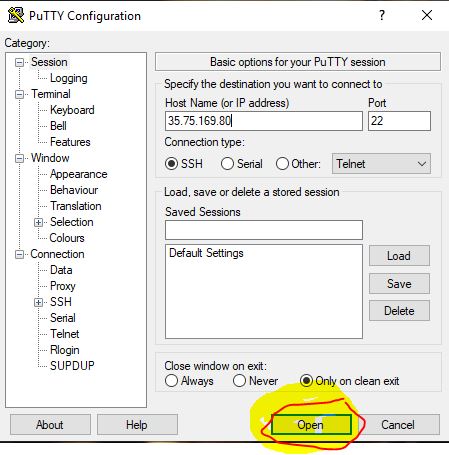
Open Putty

Step 02:
Enter Your Server IP in Host Name (or Ip address) box

Step 03:
Click on Open Button
Step 04:
Click on Accept Button

Step 05:
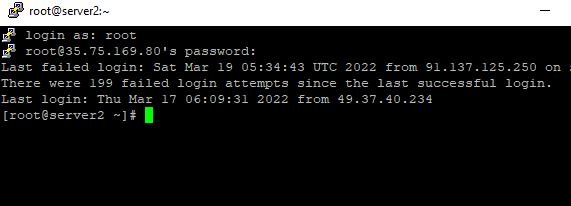
Enter login as root and hit Enter Button

Step 06:
Then Type your root password (Password will not shown black screen which is called terminal) else you can copy your password and right click on terminal to paste.

Done Now You Are Sucessfully Login Into Terminal now you can run any command you need.